Meetings in. Shipped sprints out.
BuildOS is the AI project-management workspace Hashorn built for itself and its clients. Paste a meeting, get structured requirements, an AI-planned sprint, tasks with QA & security checklists, and a copy-paste prompt ready for Claude Code or Cursor.
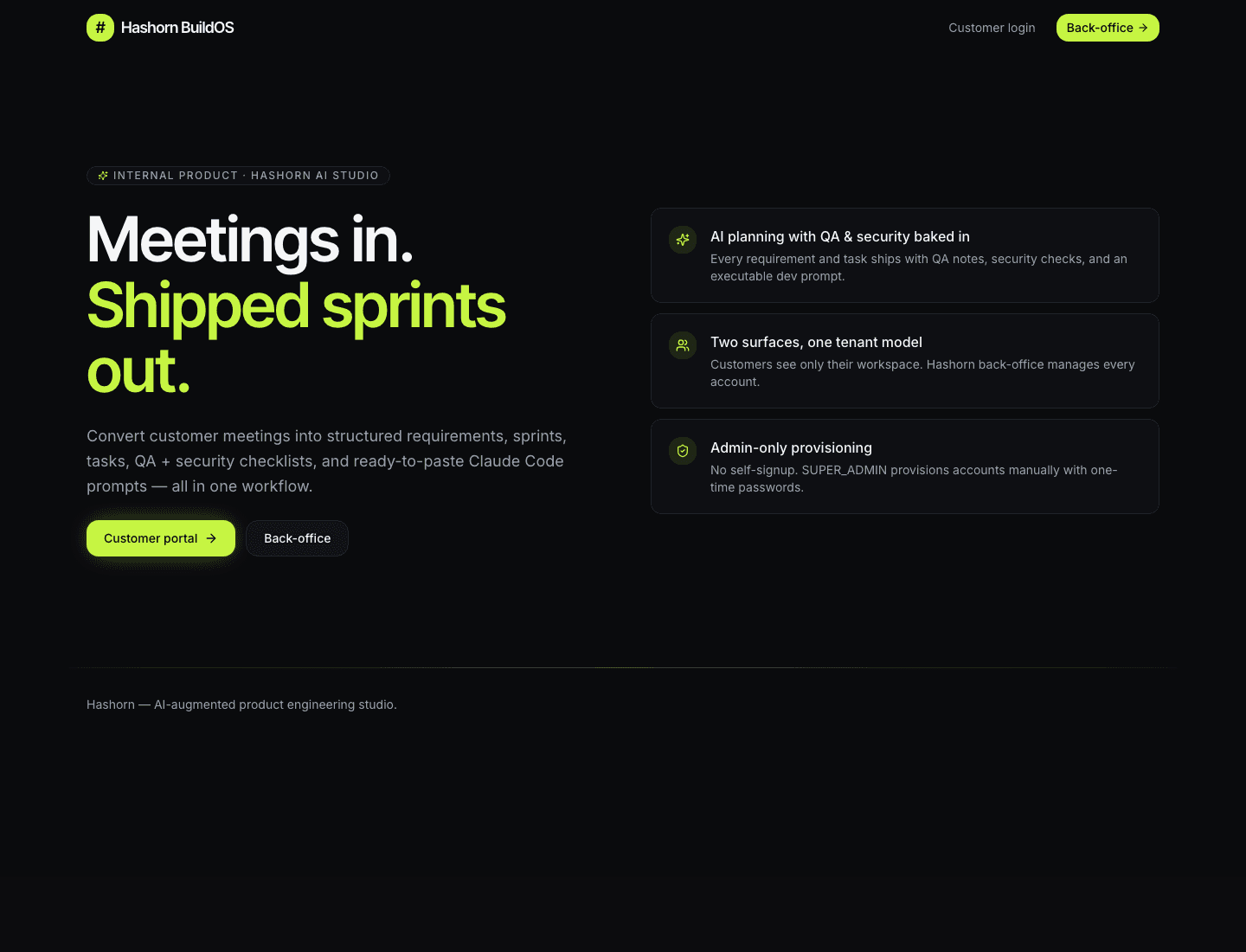
The BuildOS landing surface, admin and customer portals behind dedicated logins.
The flow
One workflow, end to end, meeting to shipped sprint.
The differentiator vs generic PM tools is that every AI step carries QA + security thinking with it, plus a copy-paste developer prompt at the end.
01 · Meeting
Paste a transcript or notes. Audio upload supported.
02 · AI summary
Highlights, action items, owners, and due dates.
03 · Requirements
Typed (FEATURE / TECH / POLICY) and prioritised.
04 · Sprint + tasks
AI groups requirements into a sprint and writes the tasks.
05 · Dev prompts
Each task ships with a paste-ready prompt for Claude Code / Cursor.
What it produces
Real artifacts, not generic suggestions.
Every AI step in BuildOS produces a concrete artifact your team can read, edit, and ship.
01 · Meeting
Paste a transcript. Get a summary you'd actually act on.
BuildOS turns long-form meeting notes or pasted transcripts into a clean summary, highlights, action items with owners and due dates, and a list of open risks. Provider-agnostic: switch between Anthropic and OpenAI per organisation.
AI summary
45-minute kickoff with the Rivermint founding team. We aligned on a card-issuing MVP scope, fundraise timeline (eight weeks), and a weekly demo cadence. PCI scope and KYC onboarding are the two open risks to manage.
Key highlights
- Card-issuing MVP needed before Series A demo day (8 wks)
- Top blocker: Stripe Issuing onboarding (KYC team contact required)
- Owner has agreed to a weekly Friday demo cadence
- Compliance: PCI scope must stay out of customer's environment
Action items
- MayaDraft one-page product brief by EOD FridayMay 13
- AdilConfirm Stripe Issuing sandbox accessMay 14
- PriyaOutline QA pyramid for the MVP scopeMay 16
- REQ-01FEATUREP0Card issuing for cardholders via Stripe Issuing API
- REQ-02FEATUREP0Realtime transaction feed with idempotent webhook processing
- REQ-03POLICYP0PCI data must never enter Rivermint's environment
- REQ-04FEATUREP1Admin console: freeze/unfreeze cards, manual refunds
- REQ-05TECHP1Postgres double-entry ledger with DB-level constraints
- REQ-06FEATUREP2Cardholder dashboard with transaction history
02 · Requirements
Typed, prioritised, traceable.
Every requirement is typed (feature, tech, policy) and prioritised P0 to P2. Every one is traceable back to the meeting that produced it, so when scope drifts you can see exactly where it came from.
03 · Sprint & tasks
Every task ships with QA & security thinking.
BuildOS groups requirements into a sprint and writes the tasks. Each task carries three checklists, Develop, QA, Security, so nothing reaches the engineer's hands without testing and hardening already accounted for.
- Auto-generated Develop checklist
- QA checklist tied to acceptance criteria
- Security checklist (auth, data, abuse paths)
Develop
2/3- Stripe Issuing webhook handler
- Ledger primitives + migrations
- Cardholder dashboard skeleton
QA
1/3- Idempotency tests for webhooks
- Ledger imbalance regression
- E2E: cardholder onboarding
Security
2/3- Verify PCI scope boundary
- Webhook signature validation
- Rate limit on /refund endpoint
04 · Developer prompts
AI prompts that bridge plan to code.
Every task generates a paste-ready prompt for Claude Code, Cursor, or GPT, including the context, the requirement, the QA notes, the security checks, and the acceptance criteria. The engineer pastes it and ships.
Choose the format: Claude Code, Cursor, or generic GPT. Choose the depth: minimal scaffolding to full implementation brief.
Inside the workspace
A real look at how a Hashorn engagement runs, view by view.
The workspace cycles through eight views your team and ours use every day. Hover to pause; click any sidebar item or a dot to jump.
Projects
Each project lives inside one organisation. Attach meetings, generate requirements, and let AI plan sprints & tasks.
Sable Rentals, Tenant portal MVP
activeSelf-service tenant portal with lease management, document automation, and recurring rent.
3 meetings · 2 sprints · 18 requirements
Northwind Health, Patient companion
activeiOS + Android patient portal: appointments, secure messaging, lab results.
2 meetings · 1 sprint · 12 requirements
Lumen Analytics, Warehouse migration
planningSnowflake → managed Postgres lift, with dbt-style modeling preserved.
1 meeting · 0 sprints · 5 requirements
Projects
Portfolio across every customer org.
Project detail
Context, goal, stack, and at-a-glance stats.
Meetings
Every meeting with on-demand AI summaries.
Sprint
Requirements with QA + security baked in.
Tasks
Every task in every sprint, in one table.
Resources
BRDs, design docs, RFCs, used as AI context.
Analytics
Sprint progress and task status, per project.
Settings
Org config, assigned Hashorn team, members.
Capabilities
Everything a delivery lead needs in one workspace.
AI meeting summaries
Paste a transcript; BuildOS returns a clean summary, highlights, action items with owners, and the open risks. Switchable Anthropic / OpenAI provider per organisation.
Structured requirements
Every requirement is typed (feature, tech, policy), prioritised (P0–P2), and traceable back to the meeting that produced it.
AI sprint planning
Group requirements into a sprint with one click. BuildOS proposes the breakdown, the goal, and the success criteria. You approve or edit.
Tasks with QA + security baked in
Every generated task carries three checklists (Develop, QA, Security) so nothing ships with quality or hardening missing.
Developer prompts ready to paste
BuildOS writes the prompt that Claude Code or Cursor needs to implement a task: context, requirements, QA notes, security checks, acceptance.
Resources & BRD upload
Attach BRDs, design docs, or spec PDFs to projects. The AI uses them as context when generating requirements and tasks.
Analytics & KPIs
Per-project and portfolio dashboards. Sprint velocity, task health, security findings open, and the metrics that matter to a delivery lead.
Two surfaces, one tenant model
Your team sees only their projects on /dashboard. Hashorn back-office runs every account on /admin, with role-based access end to end.
Admin-only provisioning
No self-signup. Accounts are provisioned manually by SUPER_ADMIN / ADMIN with one-time passwords. Built for exclusive client access.
Two surfaces, one tenant model
Built for two audiences, cleanly isolated.
A single Next.js app with two distinct login surfaces. JWT audience claims keep the two universes separate at the API layer.
Customer portal
/login → /dashboardYour team, your projects, your data.
Customers and Hashorn PMs assigned to them see only their workspace. Projects, sprints, tasks, resources, and analytics are scoped by tenancy and enforced at the API.
- Projects & sprint board
- Tasks with checklists
- Resources & BRD library
- Analytics dashboard
Back-office admin
/admin/login → /adminHashorn runs every engagement.
The Hashorn internal team (admins, PMs, tech leads, engineers, QA, security) manages customers, users, memberships, AI provider settings, and system health.
- Customers & users
- Internal team & memberships
- AI provider settings
- System & audit
Access for everyone
Bring your team. Your Hashorn pod works alongside them. One workspace.
Give every person on your side the right level of access. Your dedicated Hashorn team works in the same workspace, tracking and updating tasks as they ship. No status calls, no copy-pasting updates, no chasing people down in Slack.
Your team
Invite teammates, approve scope, see everything across your engagement.
Update tasks, review work, leave feedback in the workspace.
Read-only access for stakeholders who need visibility without edit rights.
Your Hashorn pod
Runs your engagement end to end.
Engineering lead on your project.
Engineering contributor on your project.
Quality on your project.
Security on your project.
No self-signup. Every account is provisioned by a Hashorn admin with a one-time password, then the role and organisation memberships are set explicitly. Built for exclusive client access.
Already a client?
Log in to BuildOS.
Customer accounts are provisioned by Hashorn admins. Your account owner gets the temporary password on engagement kickoff.
Request accessNot yet a client?
BuildOS is included.
Every Hashorn engagement gets a BuildOS workspace. Project, dedicated pod, audit, or discovery sprint, your engagement starts with a real PM workspace, not a Notion doc.
Book an intro callWant BuildOS for your next engagement?
Every Hashorn client gets a BuildOS workspace. Tell us what you're building, we'll get you set up.